
Salesforce ADA and WCAG Compliance: A Practical Accessibility Guide
Over a billion people worldwide live with some form of disability. Is your Salesforce platform excluding them? The growing importance of digital accessibility underscores both the legal and ethical imperative...

Salesforce ADA and WCAG compliance ultimately dictates whether every person can complete the journeys your organisation builds inside Salesforce. These journeys encompass Experience Cloud portals, application forms, support flows, self-service pages, dashboards, embedded content, and custom Lightning components.
For customers, applicants, students, and staff, an inaccessible Salesforce journey turns a critical moment into an insurmountable barrier. For leadership teams, it creates legal exposure, procurement risk, reputational damage, and lost conversions on essential forms and services.
The issue scales massively. The World Health Organization estimates that 1.3 billion people, or 1 in 6 people worldwide, experience significant disability. Concurrently, the 2026 WebAIM Million found detectable WCAG failures on 95.9% of the top one million home pages. Low contrast, missing alternative text, and missing form labels represent the most common issues.
This guide explains the implications of ADA and WCAG for Salesforce, identifies where responsibility shifts from Salesforce to your organisation, highlights relevant UK and EU rules, and details how teams move from platform confidence to defensible accessibility evidence.
Before you read on: Use this guide to identify where your Salesforce estate may be exposed: Experience Cloud portals, custom forms, Lightning Web Components, dashboards and third-party packages. When you are ready, book a Salesforce Accessibility Review or get in touch using the contact form at the foot of this page.
This article is strategic guidance based on public standards and documentation. It is not legal advice. For compliance decisions, consult your legal team.
At a Glance: Salesforce Accessibility Standards and Obligations
| Framework | What it is | Why it matters for Salesforce | Practical target |
|---|---|---|---|
| WCAG 2.2 | The current W3C accessibility standard for web content | Gives teams testable criteria for portals, forms, components and content | WCAG 2.2 Level AA for new and updated Salesforce journeys |
| ADA (US) | US civil rights law requiring equal access for disabled people | Relevant where Salesforce supports public-facing or service journeys in the US | Legal review plus WCAG-aligned tests; Title II public entities face explicit WCAG 2.1 AA dates |
| ADA Title II web rule | US Department of Justice rule for state and local governments | Applies to public entity web content and mobile apps, including digital services | WCAG 2.1 Level AA by April 26, 2027 or April 26, 2028 depending on entity size |
| Section 508 (US) | Accessibility requirement for US federal agencies and suppliers | Often appears in procurement, vendor assessments and public-sector evidence | Product-specific ACR/VPAT reviews plus implementation tests |
| Equality Act 2010 (UK) | UK anti-discrimination law | Requires reasonable adjustments to avoid disadvantaging disabled people | Accessible journeys, alternative formats and evidence of reasonable action |
| PSBAR 2018 (UK) | UK public sector accessibility regulations | Relevant for public sector websites, apps, intranets and extranets | WCAG 2.2 AA plus an up-to-date accessibility statement |
| European Accessibility Act (EU) | EU accessibility regime for covered products and services | In force from 28 June 2025 for covered consumer-facing services | EN 301 549 and WCAG-aligned accessibility requirements |
| Salesforce ACR/VPAT | Product conformance evidence from Salesforce | Shows what Salesforce documents for each product, but not what your custom build achieves | Review the ACRs for the exact Salesforce products you use |
The common thread remains clear: WCAG acts as the shared technical language. Legal regimes differ by jurisdiction, but your practical accessibility work always returns to whether real users can complete real Salesforce journeys without barriers.
Why Salesforce Compliance Breaks After Implementation
Salesforce gives organisations a strong accessibility foundation. However, that does not guarantee every Salesforce estate complies with modern standards.
Risk typically appears in the gap between the default platform and the custom configured experience:
- Experience Cloud sites with custom themes, navigation, menus, and logged-in journeys.
- Custom Lightning Web Components that bypass accessible base components.
- Forms, flows, and validation messages that frustrate keyboard or screen reader users.
- Dashboards that rely entirely on colour, dense tables, or inaccessible visual states.
- Uploaded PDFs, images, videos, and emails that sit outside normal development governance.
- Third-party packages that teams have not tested inside your specific Salesforce environment.
Leadership must address this critical distinction: vendor conformance does not equal organisational compliance. Salesforce publishes product accessibility evidence, but your organisation retains responsibility for the journeys it designs, configures, extends, and publishes.
For UK Higher Education, public services, and regulated organisations, that distinction matters significantly. Applicant portals, Clearing journeys, student support forms, customer service pages, and payment journeys act as primary touchpoints, not back-office details. At these specific points, accessibility directly dictates trust, inclusion, and conversion.
Real-World Success: SWPS University E-commerce Platform
Consider the Lifelong Learning: E-commerce Platform at SWPS University. Think Beyond built a cutting-edge, user-friendly platform on Salesforce Experience Cloud and Education Cloud. We leveraged Lightning Web Components (LWC) and the Salesforce Lightning Design System to deliver an intuitive and seamless user experience. This rigorous component architecture ensured a mobile-optimised experience where students easily navigate, discover relevant courses, and seamlessly enrol. Proper foundational design ensures that accessibility standards flow naturally into the student experience, which drives increased course enrolments and enhances revenue generation.
ADA and WCAG: The Legal Standard and the Technical Test
When professionals discuss Salesforce ADA and WCAG compliance, they typically combine two different ideas.
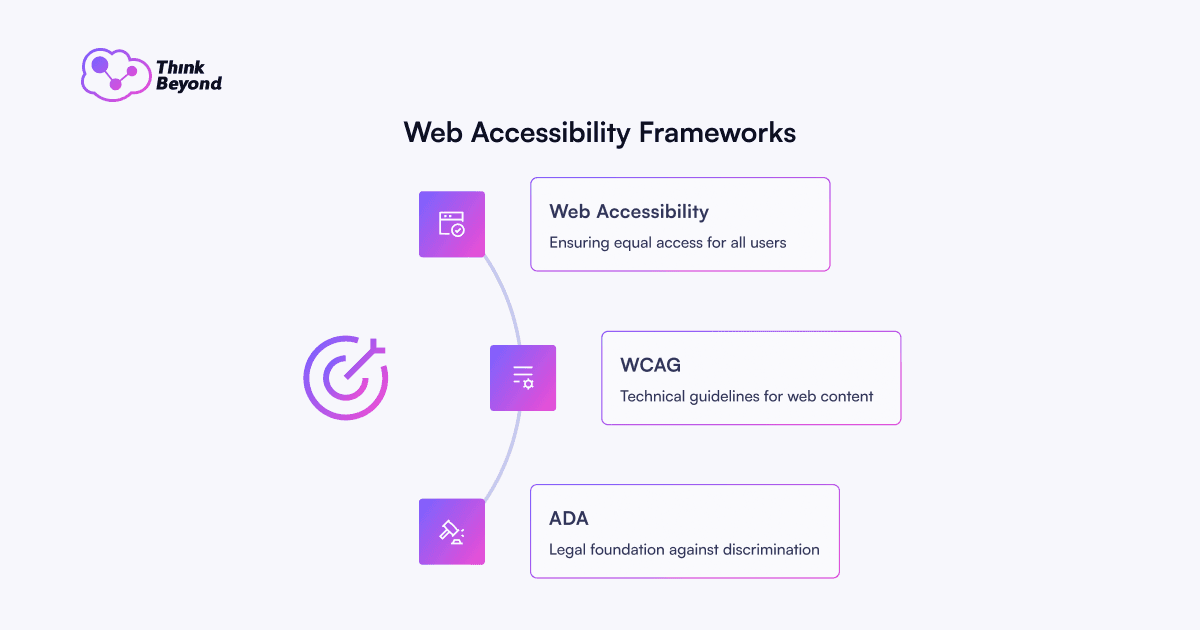
- The ADA operates as a US civil rights law. It addresses discrimination and equal access. For state and local governments, the US Department of Justice now sets explicit technical requirements for web and mobile accessibility under Title II.
- WCAG acts as the technical standard. It defines the necessary traits for accessible content: perceivable, operable, understandable, and robust.
The practical relationship remains simple. Laws create the duty; WCAG provides the testable method to assess the digital experience.
WCAG also reaches far beyond American concerns. UK public sector accessibility guidance, EU accessibility requirements, and procurement processes all rely on WCAG or WCAG-aligned standards as the universal reference point.
The UK Perspective on Digital Accessibility Regulations
For organisations that operate in the UK, ADA represents only one part of the global accessibility picture. The Public Sector Bodies Accessibility Regulations (PSBAR 2018) mandate that in-scope public sector websites and mobile apps meet WCAG 2.2 AA, unless a valid exemption applies. These regulations also compel organisations to publish and maintain an accurate accessibility statement. The Equality Act 2010 enforces this practical requirement. It requires organisations to make reasonable adjustments to avoid disadvantaging disabled people. In digital services, these adjustments must cover forms, portals, content, authentication, and requests for accessible formats. For Salesforce teams, this means you must treat WCAG 2.2 AA as your working benchmark for new and updated user journeys.
What Salesforce Provides: Evidence, Components and Patterns
Salesforce publishes Product Accessibility Conformance Reports for its suite of products. These reports use the VPAT format to document product conformance against accessibility standards.
That evidence provides immense value. It helps procurement, compliance, and technology leaders understand the baseline accessibility status of Salesforce products before an audit, renewal, or public-sector assessment.
Salesforce also provides developers and administrators with accessible building blocks:
- Lightning base components with built-in accessibility support.
- Lightning Design System patterns for consistent, accessible interfaces.
- Form components that associate labels with controls.
- Text alternatives for images and icons where components support them.
- Guidance for colour contrast, keyboard operations, and assistive technology compatibility.
- Accessibility Mode features for users who require simplified navigation behaviours.
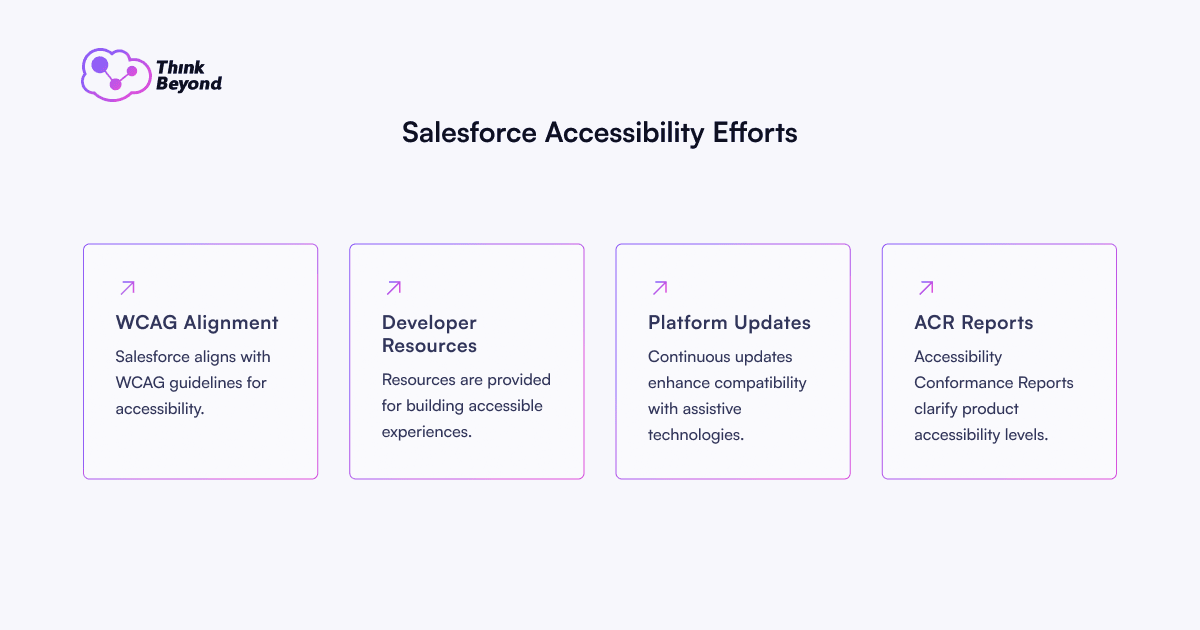
When teams use these patterns correctly, they reduce risk. When teams apply them inconsistently, they create a false sense of security.
Think Beyond perspective: The first accessibility review should rarely start with a generic platform debate. It should start with the journeys users depend on most: applications, enquiries, support, payments, case creation, event registration and authenticated self-service. Explore how we support Experience Cloud services when accessibility, trust and conversion need to work together.
Where Salesforce Accessibility Risk Usually Appears
The journeys with the greatest legal, reputational, or commercial weight usually carry the highest accessibility risk.
| Salesforce area | Common accessibility risk | Business impact | What to test first |
|---|---|---|---|
| Experience Cloud portals | Custom themes, menus, modals and broken focus order | Users cannot complete self-service tasks or support journeys | Keyboard-only navigation, screen reader flow and mobile responsiveness |
| Forms and Salesforce Flows | Missing labels, unclear errors, repeated data entry and timeouts | Lower completion rates and higher support demand | Required fields, validation messages, recovery paths and field grouping |
| Custom Lightning components | Non-semantic markup or incorrect ARIA roles | Assistive technology cannot interpret controls | Base component usage, role/state mapping and focus management |
| Login and authentication | CAPTCHA, MFA or password recovery barriers | Users face lockouts before the journey begins | Accessible authentication, error recovery and help placement |
| Dashboards and reports | Colour-only meaning, dense tables and inaccessible charts | Staff or customers miss critical information | Contrast, data table structure, chart alternatives and keyboard access |
| Uploaded content | PDFs, images and videos outside governance | Public statements promise compliance while content proves otherwise | PDF tags, alt text, captions, transcripts and content ownership |
| Third-party packages | Vendor claims untested in your specific configuration | Hidden compliance risk inside live journeys | ACR reviews plus hands-on journey tests |
The conversion point acts as the most critical juncture. Accessibility defects frequently surface exactly where a user prepares to act: submit an enquiry, complete an application, open a case, register for an event, request support, or make a payment.
Do not wait for a user complaint or a legal audit to uncover critical accessibility gaps in your custom components. Partner with Think Beyond for comprehensive Salesforce Development Services to ensure your custom applications and Lightning Web Components meet stringent WCAG 2.2 Level AA standards from day one.
WCAG 2.0, 2.1 and 2.2: What to Target
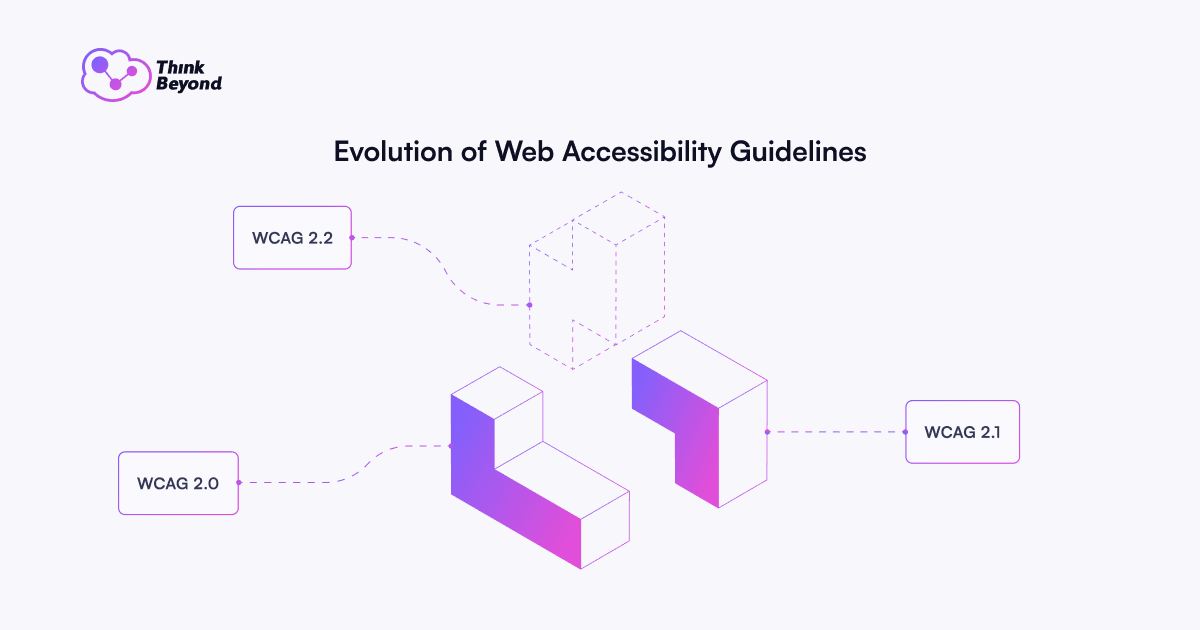
WCAG versions build on one another. The W3C states that content conforming to WCAG 2.2 also conforms to WCAG 2.0 and 2.1.
WCAG 2.0
The W3C published WCAG 2.0 in 2008. This version established the four principles teams still use today: perceivable, operable, understandable, and robust.
WCAG 2.1
The W3C published WCAG 2.1 in 2018. It added stronger support for mobile devices, touch interactions, low vision, and cognitive accessibility. It remains the explicit technical reference for the ADA Title II web rule.
WCAG 2.2
The W3C published WCAG 2.2 as the current Recommendation. It adds success criteria that matter directly to modern Salesforce journeys: focus visibility, drag alternatives, target size, consistent help, reduced redundant entries, and accessible authentication.
Our recommendation: target WCAG 2.2 Level AA as the working benchmark for new and updated Salesforce journeys. If a specific regulation references WCAG 2.1, your legal counsel can confirm the formal target, but you build a stronger and more future-ready standard when you design to 2.2 AA.
A Practical Salesforce Accessibility Roadmap
Platform confidence transforms into defensible compliance only when evidence supports it. We recommend the following sequence:
- Map your regulated and high-value journeys. Identify the Salesforce pages and flows that matter most: applications, enquiries, support, payments, event registration, self-service, case creation, and authenticated content.
- Collect the Salesforce evidence. Download the relevant ACR/VPAT documents for the specific Salesforce products you use. Do not rely on a generic platform statement.
- Audit the configured experience. Test Experience Cloud sites, custom Lightning components, forms, flows, dashboards, email templates, PDFs, and third-party packages.
- Combine automated and manual tests. Automated scanners provide utility, but they cannot detect every conformance failure. Combine them with keyboard-only checks and screen reader sessions using tools such as NVDA, JAWS, or VoiceOver.
- Prioritise blockers before polish. Fix issues that halt task completion first: keyboard traps, missing form labels, broken focus order, inaccessible authentication, unclear validation, and unreachable content.
- Build accessibility into delivery governance. Add accessibility acceptance criteria to user stories, require accessible SLDS patterns for custom work, and retest after major Salesforce releases and significant content updates.
- Keep the evidence alive. Maintain an accessibility statement where required, keep a remediation backlog, and assign clear ownership for accessibility after go-live.
Metrics that prove progress:
- Number of WCAG Level A and AA blockers open per critical journey.
- Percentage of custom components built with Lightning base components or SLDS blueprints.
- Keyboard-only and screen reader task-completion rates for priority journeys.
- Time required to fix high-severity accessibility defects.
- Form abandonment and support contact rates on key Salesforce journeys.
- Count of live, inaccessible PDFs, images, or videos.
- Time elapsed since the last accessibility statement review and latest retest date.
Five Signs You Need a Salesforce Accessibility Review
A structured review becomes necessary if your organisation experiences any of these realities:
- Nobody owns accessibility after Salesforce go-live.
- Your Experience Cloud portal contains custom themes, navigation, or authenticated journeys.
- Your organisation cannot produce current ACR/VPAT evidence for the products in use.
- Developers ship custom Lightning components without keyboard and screen reader tests.
- Teams fail to test important forms, flows, or dashboards with assistive technology.
Mid-journey checkpoint: If your team cannot name the journeys, owners, evidence and open blockers, accessibility risk is already difficult to manage. Request a Salesforce Accessibility Review to turn uncertainty into a prioritised remediation plan.
Accessibility, Trust and Conversion
Professionals often frame accessibility strictly as compliance, but it carries an equally powerful commercial case.
When developers provide clear labels, consistent help, visible focus, and recoverable errors, more users successfully complete their intended tasks. This prioritises disabled users first. It also improves the experience for mobile device users, individuals under time pressure, older users, neurodivergent users, and staff who navigate complex internal processes.
For Higher Education, this impacts enquiry completion, application confidence, event registration, student support requests, and staff-facing service clarity. For commercial organisations, it drives lead capture, checkout success, support case creation, and account self-service.
Therefore, accessibility does not function as a mere cosmetic layer. It serves as a core part of the conversion architecture within your Salesforce estate.
Key Public Sources Referenced
The recommendations in this article draw from public standards and official documentation, including:
- W3C Web Content Accessibility Guidelines 2.2
- ADA.gov Title II web and mobile accessibility rule
- GOV.UK accessibility requirements for public sector bodies
- AccessibleEU guidance on the European Accessibility Act
- Salesforce Product Accessibility Status and ACR/VPAT reports
- WHO disability facts
- WebAIM Million 2026 accessibility report
How Think Beyond Helps You Reach Salesforce Accessibility Compliance
Think Beyond helps organisations transform accessibility from an unmanaged risk into a governed Salesforce capability. We combine Salesforce platform expertise with a practical accessibility methodology across Experience Cloud, custom Salesforce development, implementation governance, and release-ready remediation.
A focused Salesforce Accessibility Review provides leadership teams with four concrete deliverables:
- A map of the Salesforce journeys that carry the highest legal, reputational, and conversion risk.
- A review of available Salesforce ACR/VPAT evidence for the products you use.
- Hands-on tests of priority journeys across keyboard, screen reader, and visual accessibility.
- A prioritised remediation backlog detailing ownership, severity, and release guidance.
The most useful conversation begins with three questions:
- Which customer, applicant, student, or staff journey causes the greatest risk if it fails today?
- Which parts of your Salesforce estate rely on standard platform architecture, and which rely on custom, third-party, or content-led builds?
- Who owns accessibility evidence after each release?
If those answers remain unclear, the next step avoids another generic compliance discussion. It demands a practical review of the journeys where accessibility, trust, and conversion intersect.
Book a Salesforce Accessibility Review
Talk to Think Beyond about making your Salesforce estate ADA and WCAG compliant
FAQs
How do we ensure our custom Lightning Web Components (LWCs) do not break WCAG 2.2 AA standards?
Developers must prioritise Lightning base components and Salesforce Lightning Design System (SLDS) blueprints, which contain built-in accessibility features. When developers build entirely custom interfaces, they must manually manage focus states, apply correct ARIA roles, and run tests with screen readers like NVDA or VoiceOver prior to deployment.
What happens if a third-party AppExchange package fails accessibility tests in our Experience Cloud site?
Vendor claims do not shield your organisation from compliance failures. If an AppExchange package introduces barriers—such as untagged modals or keyboard traps—your organisation remains responsible for the user journey. You must request a current ACR/VPAT from the vendor, test the package thoroughly in a sandbox environment, and implement alternative accessible paths if the vendor refuses to fix the defect.
How do we maintain compliance after major Salesforce seasonal releases?
Salesforce seasonal releases can alter DOM structures or standard component behaviours. You must build strict accessibility checks into your release management governance. After every major release, your QA team must retest critical workflows—such as payment portals or application forms—using automated scanners and manual keyboard navigation to ensure updates have not introduced new blockers.
Can we rely entirely on automated accessibility scanners for our Experience Cloud portals?
No. Automated scanners typically catch only 20% to 30% of total WCAG violations, such as missing alt text or obvious colour contrast failures. They cannot evaluate contextual logic, such as whether a form validation error makes sense, or if a custom modal traps a keyboard user. You must combine automated scans with manual assistive technology tests to achieve true compliance.
Keep reading
All posts-
 Customer Experience 7 min read
How to Build a Seamless Omnichannel Sales Strategy in Salesforce
 Martin Pieńkowski Head of Salesforce 15 July 2026 Read the article
 - Customer Experience 6 min read
How Omnichannel Self-Service Transforms B2C Customer Support
Martin Pieńkowski Head of Salesforce 13 July 2026 Read the article - Customer Experience 4 min read
Why Omnichannel Customer Service Is a Strategic Imperative for the Modern Enterprise
Martin Pieńkowski Head of Salesforce 13 July 2026 Read the article